
ARKit is Apple's powerful augmented reality framework that allows developers to craft immersive, interactive AR experiences specifically designed for iOS devices. For LiDAR-equipped devices, ARKit leverages depth-sensing capabilities that substantially improve environmental scanning precision. Unlike traditional LiDAR systems that tend to be bulky and expensive, iPhone's LiDAR technology is compact, affordable, and integrated directly into consumer hardware — making advanced depth sensing accessible to a broader developer community.
LiDAR enables creation of point clouds — collections of data points representing object surfaces in three-dimensional space. This article demonstrates extracting LiDAR data and converting it into individual points within an AR 3D environment. Part 2 covers merging continuously received points into a unified cloud and exporting to .PLY format.
Prerequisites
- Xcode 16 with Swift 6
- SwiftUI for UI design
- Swift Concurrency for efficient multithreading
- A LiDAR-equipped iPhone or iPad
Setting Up and Creating the UI
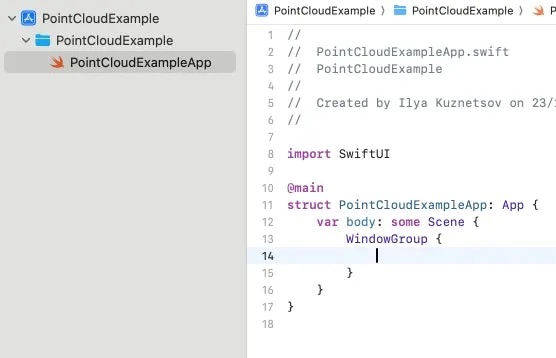
Create a new project named PointCloudExample, removing unnecessary files except PointCloudExampleApp.swift. Next, create ARManager.swift as an actor managing ARSCNView and the AR session. Since SwiftUI lacks native ARSCNView support, UIKit bridging is necessary.
In the ARManager initializer, set it as delegate for ARSession and start the session with ARWorldTrackingConfiguration, ensuring the sceneDepth property is set for LiDAR-equipped devices:
import Foundation
import ARKit

actor ARManager: NSObject, ARSessionDelegate, ObservableObject {

    @MainActor let sceneView = ARSCNView()

    @MainActor
    override init() {
        super.init()

        sceneView.session.delegate = self

        // start session
        let configuration = ARWorldTrackingConfiguration()
        configuration.frameSemantics = .sceneDepth
        sceneView.session.run(configuration)
    }
}
In PointCloudExampleApp.swift, create an ARManager state object and present the AR view to SwiftUI:
struct UIViewWrapper<V: UIView>: UIViewRepresentable {
    let view: UIView
    func makeUIView(context: Context) -> some UIView { view }
    func updateUIView(_ uiView: UIViewType, context: Context) { }
}

@main
struct PointCloudExampleApp: App {
    @StateObject var arManager = ARManager()
    var body: some Scene {
        WindowGroup {
            UIViewWrapper(view: arManager.sceneView).ignoresSafeArea()
        }
    }
}
Obtaining LiDAR Depth Data
The AR session continuously generates frames containing depth and camera image data. To maintain real-time performance, frames are skipped while one is being processed. Since ARManager is an actor, processing occurs on separate threads, preventing UI freezing.
actor ARManager: NSObject, ARSessionDelegate, ObservableObject {

    @MainActor private var isProcessing = false
    @MainActor @Published var isCapturing = false

    nonisolated func session(_ session: ARSession, didUpdate frame: ARFrame) {
        Task { await process(frame: frame) }
    }

    @MainActor
    private func process(frame: ARFrame) async {
        guard !isProcessing else { return }
        isProcessing = true
        // processing code here
        isProcessing = false
    }
}
Each ARFrame provides:
- depthMap — Float32 buffer where each pixel contains distance in meters from camera to surface
- confidenceMap — UInt8 buffer with values 1–3 indicating depth measurement confidence per pixel
- capturedImage — YCbCr format pixel buffer
Accessing Pixel Data from CVPixelBuffer
Depth and Confidence Buffers
Reading from CVPixelBuffer requires locking the buffer for exclusive data access. The pixel offset formula is: Value = Y × bytesPerRow + X.
struct Size {
    let width: Int
    let height: Int
    var asFloat: simd_float2 { simd_float2(Float(width), Float(height)) }
}

final class PixelBuffer<T> {
    let size: Size
    let bytesPerRow: Int
    private let pixelBuffer: CVPixelBuffer
    private let baseAddress: UnsafeMutableRawPointer

    init?(pixelBuffer: CVPixelBuffer) {
        self.pixelBuffer = pixelBuffer
        CVPixelBufferLockBaseAddress(pixelBuffer, .readOnly)

        guard let baseAddress = CVPixelBufferGetBaseAddressOfPlane(pixelBuffer, 0) else {
            CVPixelBufferUnlockBaseAddress(pixelBuffer, .readOnly)
            return nil
        }
        self.baseAddress = baseAddress
        size = .init(width: CVPixelBufferGetWidth(pixelBuffer),
                     height: CVPixelBufferGetHeight(pixelBuffer))
        bytesPerRow = CVPixelBufferGetBytesPerRow(pixelBuffer)
    }

    func value(x: Int, y: Int) -> T {
        let rowPtr = baseAddress.advanced(by: y * bytesPerRow)
        return rowPtr.assumingMemoryBound(to: T.self)[x]
    }

    deinit { CVPixelBufferUnlockBaseAddress(pixelBuffer, .readOnly) }
}
YCbCr Captured Image Buffer
YCbCr separates luminance (Y) from chrominance (Cb, Cr), requiring conversion to RGB:
final class YCBCRBuffer {
    let size: Size
    private let pixelBuffer: CVPixelBuffer
    private let yPlane: UnsafeMutableRawPointer
    private let cbCrPlane: UnsafeMutableRawPointer

    init?(pixelBuffer: CVPixelBuffer) {
        self.pixelBuffer = pixelBuffer
        CVPixelBufferLockBaseAddress(pixelBuffer, .readOnly)

        guard let yPlane = CVPixelBufferGetBaseAddressOfPlane(pixelBuffer, 0),
              let cbCrPlane = CVPixelBufferGetBaseAddressOfPlane(pixelBuffer, 1) else {
            CVPixelBufferUnlockBaseAddress(pixelBuffer, .readOnly)
            return nil
        }
        self.yPlane = yPlane
        self.cbCrPlane = cbCrPlane
        size = .init(width: CVPixelBufferGetWidth(pixelBuffer),
                     height: CVPixelBufferGetHeight(pixelBuffer))
    }

    func color(x: Int, y: Int) -> simd_float4 {
        let yIndex = y * CVPixelBufferGetBytesPerRowOfPlane(pixelBuffer, 0) + x
        let uvIndex = y / 2 * CVPixelBufferGetBytesPerRowOfPlane(pixelBuffer, 1) + x / 2 * 2

        let yValue = yPlane.advanced(by: yIndex)
            .assumingMemoryBound(to: UInt8.self).pointee
        let cbValue = cbCrPlane.advanced(by: uvIndex)
            .assumingMemoryBound(to: UInt8.self).pointee
        let crValue = cbCrPlane.advanced(by: uvIndex + 1)
            .assumingMemoryBound(to: UInt8.self).pointee

        let y = Float(yValue) - 16
        let cb = Float(cbValue) - 128
        let cr = Float(crValue) - 128

        let r = 1.164 * y + 1.596 * cr
        let g = 1.164 * y - 0.392 * cb - 0.813 * cr
        let b = 1.164 * y + 2.017 * cb

        return simd_float4(max(0, min(255, r)) / 255.0,
                           max(0, min(255, g)) / 255.0,
                           max(0, min(255, b)) / 255.0, 1.0)
    }

    deinit { CVPixelBufferUnlockBaseAddress(pixelBuffer, .readOnly) }
}
Reading Depth and Color
With buffers ready, define a Vertex structure and iterate through depth pixels:
struct Vertex {
    let position: SCNVector3
    let color: simd_float4
}
func process(frame: ARFrame) async {
    guard let depth = (frame.smoothedSceneDepth ?? frame.sceneDepth),
          let depthBuffer = PixelBuffer<Float32>(pixelBuffer: depth.depthMap),
          let confidenceMap = depth.confidenceMap,
          let confidenceBuffer = PixelBuffer<UInt8>(pixelBuffer: confidenceMap),
          let imageBuffer = YCBCRBuffer(pixelBuffer: frame.capturedImage) else { return }

    for row in 0..<depthBuffer.size.height {
        for col in 0..<depthBuffer.size.width {
            let confidenceRawValue = Int(confidenceBuffer.value(x: col, y: row))
            guard let confidence = ARConfidenceLevel(rawValue: confidenceRawValue) else { continue }
            if confidence != .high { continue }

            let depth = depthBuffer.value(x: col, y: row)
            if depth > 2 { return }

            let normalizedCoord = simd_float2(Float(col) / Float(depthBuffer.size.width),
                                              Float(row) / Float(depthBuffer.size.height))
            let imageSize = imageBuffer.size.asFloat
            let pixelRow = Int(round(normalizedCoord.y * imageSize.y))
            let pixelColumn = Int(round(normalizedCoord.x * imageSize.x))
            let color = imageBuffer.color(x: pixelColumn, y: pixelRow)
        }
    }
}
Converting Points to 3D Scene Coordinates
Calculate the 2D screen coordinate, then use camera intrinsics to convert to 3D camera space:
let screenPoint = simd_float3(normalizedCoord * imageSize, 1)
let localPoint = simd_inverse(frame.camera.intrinsics) * screenPoint * depth
The iPhone camera orientation differs from the phone orientation. Apply a flip transformation to align axes:
func makeRotateToARCameraMatrix(orientation: UIInterfaceOrientation) -> matrix_float4x4 {
    let flipYZ = matrix_float4x4(
        [1, 0, 0, 0],
        [0, -1, 0, 0],
        [0, 0, -1, 0],
        [0, 0, 0, 1]
    )
    let rotationAngle: Float = switch orientation {
        case .landscapeLeft: .pi
        case .portrait: .pi / 2
        case .portraitUpsideDown: -.pi / 2
        default: 0
    }
    let quaternion = simd_quaternion(rotationAngle, simd_float3(0, 0, 1))
    let rotationMatrix = matrix_float4x4(quaternion)
    return flipYZ * rotationMatrix
}

let rotateToARCamera = makeRotateToARCameraMatrix(orientation: .portrait)
let cameraTransform = frame.camera.viewMatrix(for: .portrait).inverse * rotateToARCamera

let worldPoint = cameraTransform * simd_float4(localPoint, 1)
let resultPosition = worldPoint / worldPoint.w
Conclusion
This first installment established the foundational workflow: obtaining depth data from LiDAR alongside corresponding camera images, and transforming each pixel into a colored 3D point. Filtering by confidence level ensures data accuracy.
Part 2 covers merging captured points into a unified point cloud, visualizing results in the AR view, and exporting to .PLY format.